
casty
git clone https://github.com/castyfun/casty.git && cd casty./scripts/0-provision.sh # (0) compute: a server with a 2 TB volume, or --host user@ip for your own./scripts/1-node.sh # (1) a Snapchain read node: installed, synced, with a tunnel to it./scripts/2-client.sh # (2) a client: casty, an app key for your account, your feed from your node三条命令:(0) 计算资源,(1) 只读节点,(2) 客户端。./scripts/deploy.sh 一次运行全部三条,完整流程 解释每一步及其背后的协议。
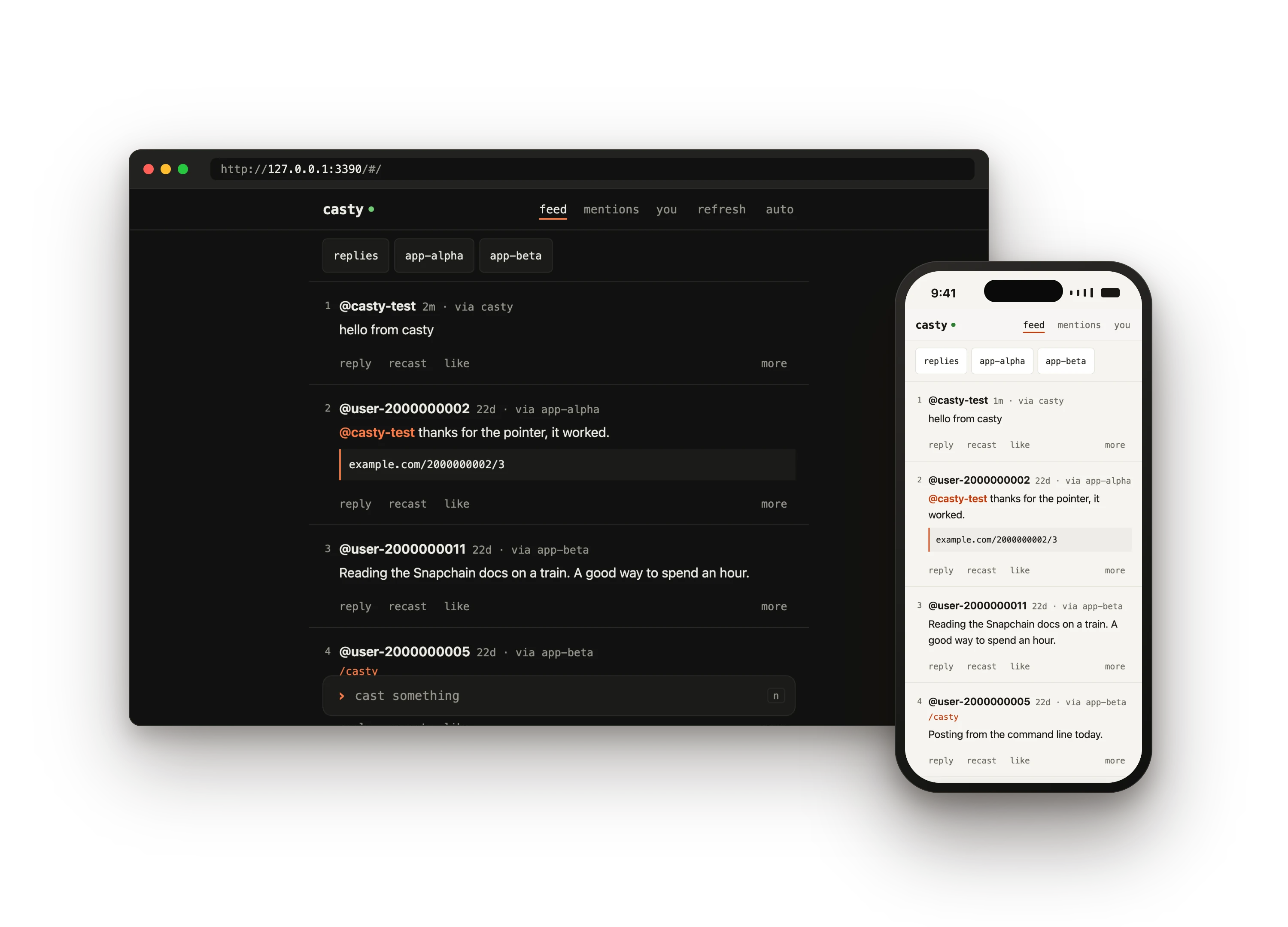
casty 在一台由你掌控的主机上放置一个 Snapchain 只读节点,即 Farcaster 的完整副本,并给你一个不与其他任何服务通信的客户端:一条终端命令,以及一个用于浏览器和 手机的页面。你的时间线、提及和会话从你的节点读取;你的 cast、回复、点赞、recast 和关注通过它发出。 你和网络之间没有任何托管 API,所以不需要申请 API 密钥,也不会遇到速率限制。
用一条命令开始
Section titled “用一条命令开始”一个属于你自己的新节点
Section titled “一个属于你自己的新节点”Hetzner 或 AWS 上一台带 2 TB 卷和防火墙的服务器,上面运行 Snapchain,客户端在你的机器上, 页面以 HTTPS 放在主机上。节点需要同步数小时。
git clone https://github.com/castyfun/casty.git && cd casty./scripts/deploy.sh --fid <your fid> --domain node.example.org已经有一台 2 TB 可用空间的 Linux 机器?加上 -- --host user@ip。
在已经运行的节点上使用 casty
Section titled “在已经运行的节点上使用 casty”不需要服务器:casty 连接任何 Snapchain 节点,可以是你在另一台机器上的节点,也可以是公共节点, 并记住它。一分钟即可就绪。
git clone https://github.com/castyfun/casty.git && cd casty./scripts/2-client.sh --node https://snap.farcaster.xyz:3381 --fid <your fid>然后运行 ./bin/casty web,在 “you” 下选择 “add a key with your wallet”。
让智能体来做
Section titled “让智能体来做”把一条提示词粘贴到 Claude Code、Codex、Cursor 或其他编程智能体中。它会阅读 llms.txt,询问你要两种方式中的哪一种,并且从不 索要你的助记词。
Set up casty for me: https://github.com/castyfun/casty.Read https://castyfun.github.io/casty/llms-full.txt first....各部分如何配合
Section titled “各部分如何配合”读取来自你的节点,所以时间线的速度取决于运行它的机器。写入在你的机器上用只有 casty 持有的应用密钥 签名,再由你的节点转发给验证者。这个密钥通过一条签名消息添加,由你的钱包在浏览器中批准:不需要交易, 不需要 gas,也不需要 Ethereum RPC。
你会得到什么
Section titled “你会得到什么”- 三个脚本和一条命令。
0-provision.sh租用服务器或检查你的服务器,1-node.sh安装 Snapchain 并等待它同步,2-client.sh安装casty并添加 密钥。deploy.sh依次运行它们,并从上次中断的地方继续。 - 终端客户端。
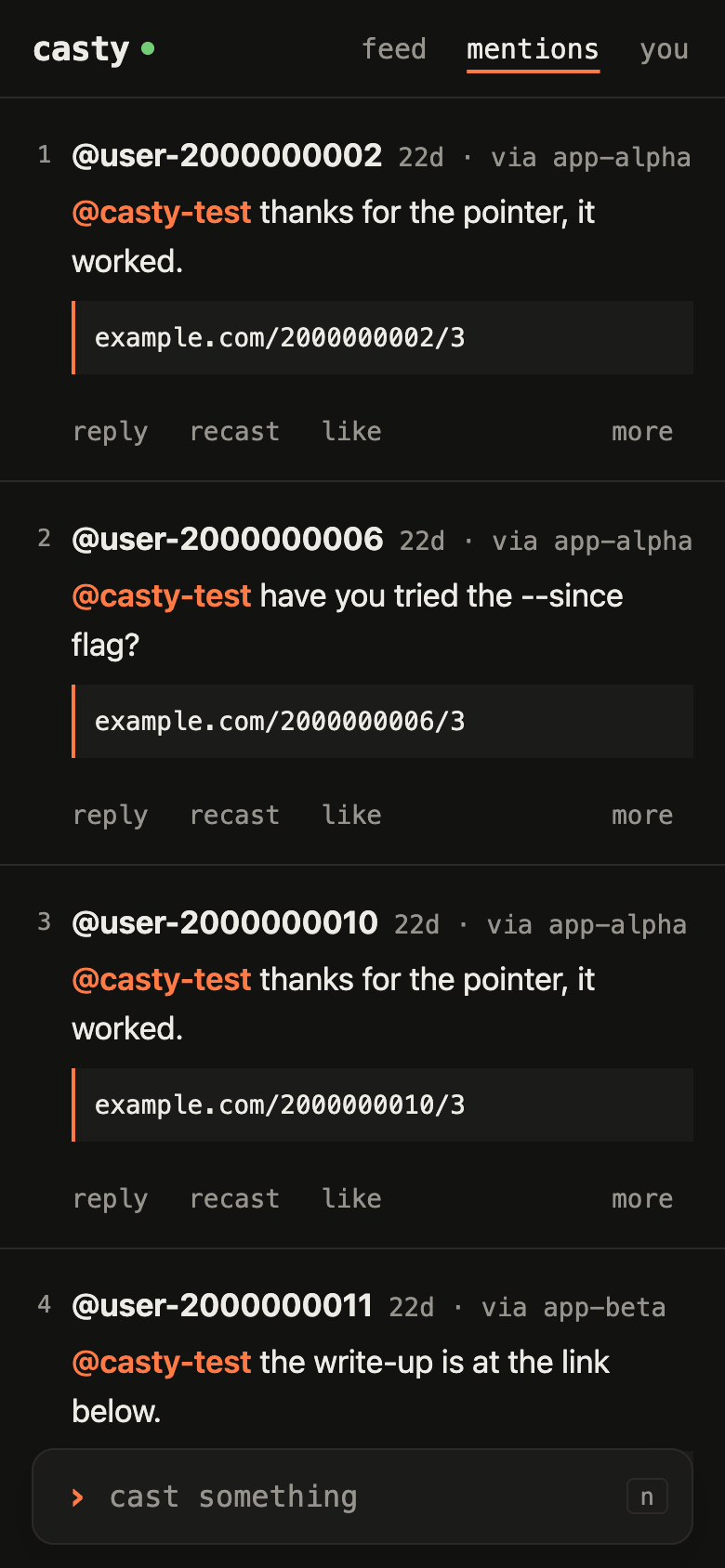
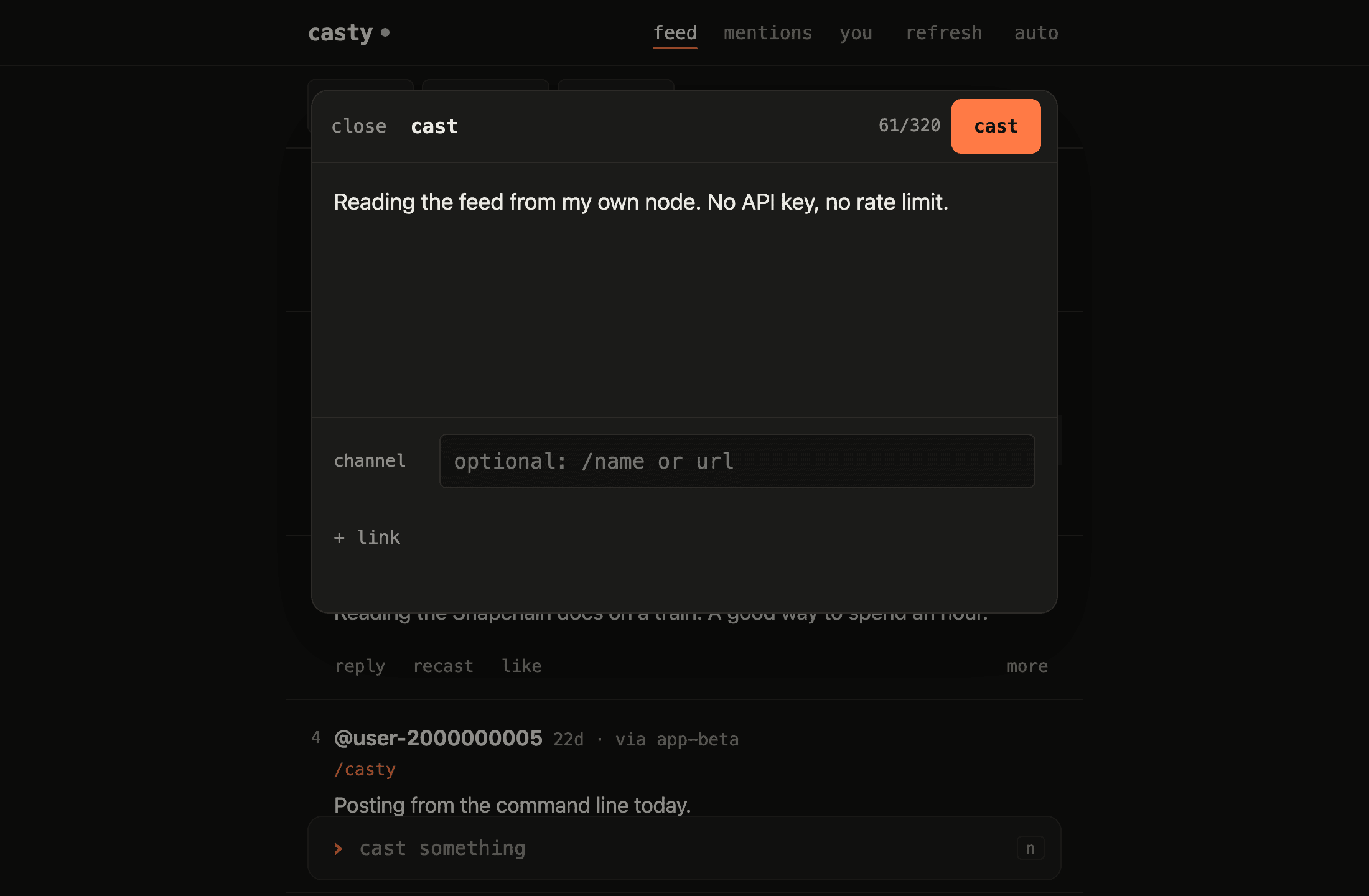
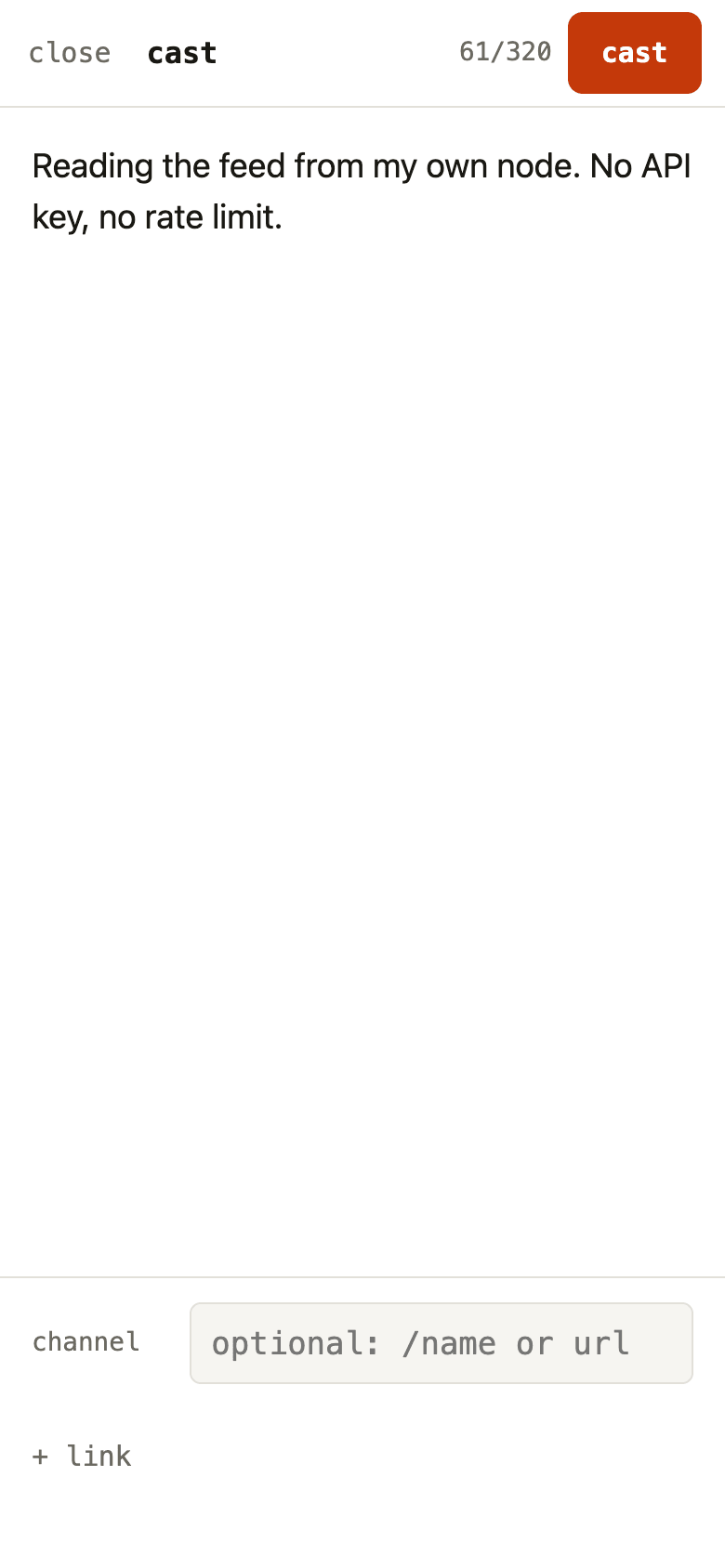
casty feed、casty cast、casty like 2:给你看的纯文本,给脚本用的--json, 以及从一条命令延续到下一条命令的编号。 - 用于浏览器和手机的页面。 时间线、会话、提及、个人资料和撰写框, 浅色和深色主题,在笔记本电脑上有键盘快捷键,在手机上可以添加到主屏幕。
- 你的节点,在任何地方。
casty serve把页面以 HTTPS 放到节点主机上,带有 立即响应的时间线索引,以及提及和回复的推送通知。 - 看得见的密钥。 你账户的每一个应用密钥、它可以签署什么、何时失效,以及 在终端中或用密钥本身撤销它。
- 不用节点即可测试。 一个模拟 Snapchain 节点检查每一个签名,因此客户端、 脚本和页面都在 CI 中离线运行它们的检查。
$ casty feed --limit 31  @casty-test · 0s · via casty   Reading the feed from my own node. No API key, no rate limit.
2  @user-2000000002 · 22d · via app-alpha   @casty-test thanks for the pointer, it worked.   https://example.com/2000000002/3
3  @user-2000000011 · 22d · via app-beta   Reading the Snapchain docs on a train. A good way to spend an hour.
$ casty like 2liked 2000000002:0x973d398ad75e1f25fa780085f3c22d30b01d2504
在浏览器和手机上
Section titled “在浏览器和手机上”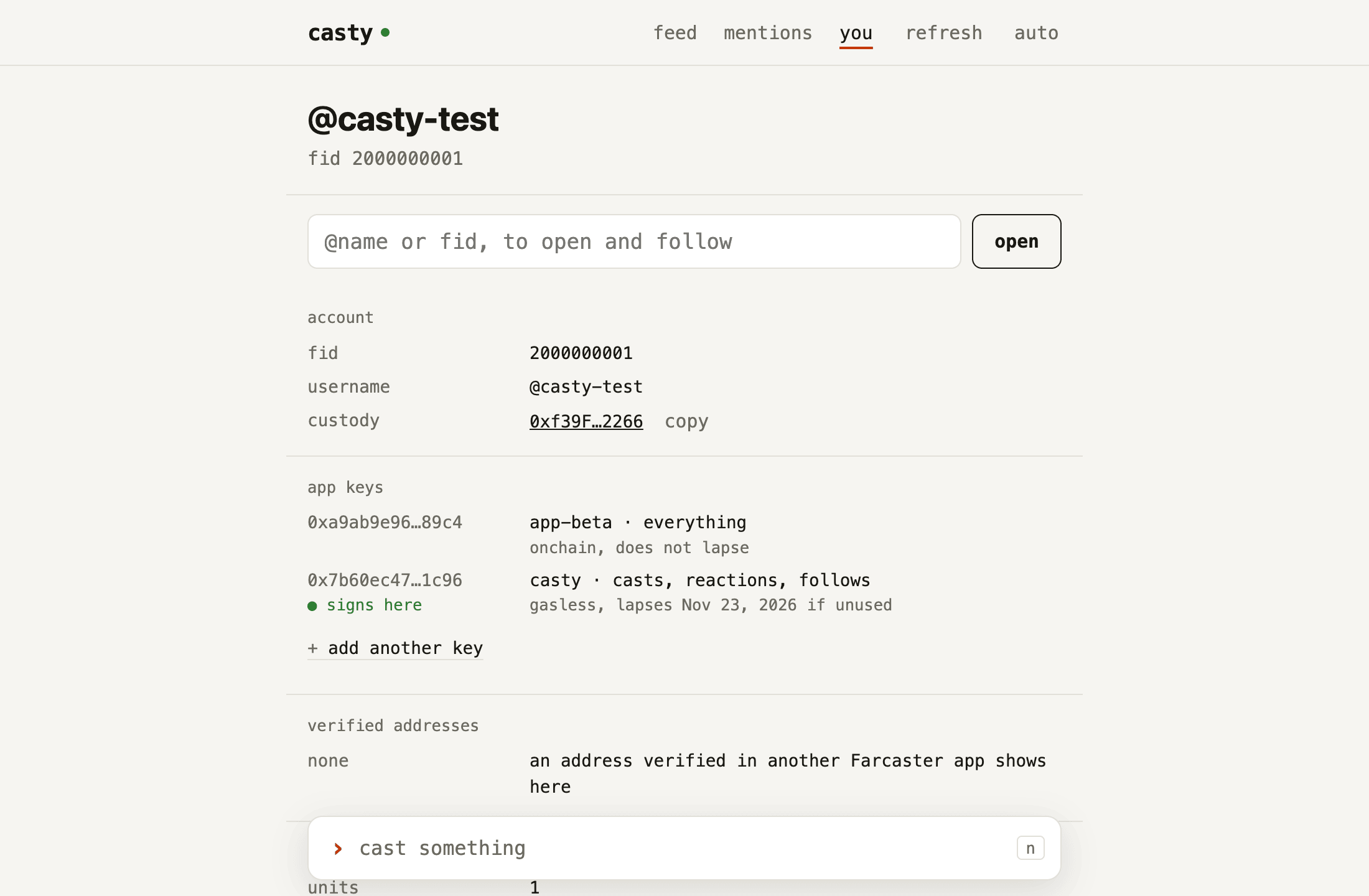
需要准备什么
Section titled “需要准备什么”- 一个 Farcaster 测试账户:一个至少有一个 storage unit 的 fid,以及一个持有该 fid 注册地址的钱包, 或者该地址的助记词。casty 只使用助记词一次,用来签署密钥请求,从不把它写入磁盘。
- 一台主机。可以是 Hetzner Cloud 的凭据(
HCLOUD_TOKEN和hcloudCLI)或 AWS 的凭据( AWS CLI v2 以及一个 profile 或访问密钥),也可以是对一台你已有的、能运行 Docker 的机器的 SSH 访问。 最后一种情况见家中的节点。 - 一对 SSH 密钥,默认是
~/.ssh/id_ed25519和~/.ssh/id_ed25519.pub。 - 在你的机器上:
ssh、curl和jq。只有自己构建客户端(2-client.sh --from-source)时 才需要 Node.js 22.12 或更新版本。支持 macOS 和 Linux;在 Windows 上请在 WSL2 中运行这些脚本。
节点主机需要满足 Snapchain 的要求:16 GB 内存、4 个 vCPU、2 TB 可用磁盘和一个公网 IP (入门指南)。在租用的主机上,第 0 步选择服务器和卷, 第 1 步在安装任何东西之前检查主机。
需要多长时间
Section titled “需要多长时间”第 1 步耗时最长:节点首次启动时会下载几百 GB 的快照,然后追赶该快照之后的区块。预计需要数小时。
1-node.sh 会等待,并在每次检查后打印节点落后多少。按 Ctrl-C 只结束等待;节点会继续同步,
./scripts/1-node.sh status --wait 会重新开始等待。
casty 不知道你的服务商的价格。真正运行 0-provision.sh 时,它会列出即将创建的服务器、卷和防火墙,
说明它们会一直计费直到你删除,并且只有在你把服务器名称输回去之后才会继续。
./scripts/0-provision.sh --destroy 删除这三者。
不用节点试用
Section titled “不用节点试用”仓库附带一个模拟 Snapchain 节点,它用预置数据提供相同的 HTTP API,并检查提交给它的每条消息的签名。 有了它,整个客户端可以离线运行:
pnpm install --frozen-lockfilepnpm demopnpm demo 在空闲端口启动模拟节点,用 BIP-39 测试助记词
test test test test test test test test test test test junk 添加应用密钥,分别在包含和排除
一个应用的 cast 的情况下读取时间线,发布一条 cast,点赞一条,最后删除临时配置。
预置数据中的 fid 从 2000000001 开始,不属于任何人。
pnpm demo:web 做同样的准备,然后在空闲端口提供 casty web,即浏览器和手机页面,
直到你按下 Ctrl-C。
Usage: deploy.sh [--domain <name> | --tailscale] [--read-only] [--fid <fid>] [--from-source]                 [--env <file>] [--yes] [--dry-run] [-- <0-provision.sh options>]
  Runs, in order: 0-provision.sh (unless --env's file already describes a host; with --domain,  again on that host to open 80 and 443), 1-node.sh (the node, the wait for its sync, the  tunnel), 2-client.sh (the client, an app key, the feed) and, with a front named, 1-node.sh  serve. Every step is safe to run again: the same command picks up where a run stopped.
  --domain <name>   serve the page on the host as https://<name> (Caddy; opens 80 and 443)  --tailscale       serve it as the host's name on your tailnet instead  --read-only       a page that reads only: no app key or passphrase leaves this machine  --fid <fid>       no seed phrase: 2-client.sh --fid; add the key in ./bin/casty web with your                    wallet, then run the same command again for the page on the host  --from-source     build the client here with Node and pnpm instead of downloading it  --env <file>      node.env to write or read (default: node.env)  --yes             do not ask before creating anything  --dry-run         print what provisioning and the node would run; the client is skipped  -- <options>      passed to 0-provision.sh, e.g. -- --provider aws --region eu-west-1
Exit codes: 0 ok, 2 bad arguments, otherwise the code of the step that stopped.
接下来去哪里
Section titled “接下来去哪里”从0. 准备主机开始。如果你想在运行脚本之前了解它们会搭建什么,请阅读 只读节点与验证者和 托管地址与应用密钥。安全列出了涉及的每一个机密 以及如何撤销每一个。